¶ 開発例 - PickupWorkerService
モダンな .NET で、常駐稼働型のコンソールアプリ PickupWorkerService を実際に作ってみます。
¶ 開発環境
- IDE: Visual Studio 2026 Professional
- SDK: .NET 10.0
- PG言語: C# 14.0
- 使用NuGet: Microsft.Extensions.Hosting、 Kurukuru
- 実行環境: Windows 11 25H2、 Linux (Ubuntu 26.04)
使用ライブラリ ライセンス
¶ Kurukuru
https://github.com/mayuki/Kurukuru - mayuki/Kurukuru: Terminal Spinner for .NET platform
MIT LicenseCopyright (c) 2017-present Mayuki Sawatari
Permission is hereby granted, free of charge, to any person obtaining a copy
of this software and associated documentation files (the "Software"), to deal
in the Software without restriction, including without limitation the rights
to use, copy, modify, merge, publish, distribute, sublicense, and/or sell
copies of the Software, and to permit persons to whom the Software is
furnished to do so, subject to the following conditions:
The above copyright notice and this permission notice shall be included in all
copies or substantial portions of the Software.
THE SOFTWARE IS PROVIDED "AS IS", WITHOUT WARRANTY OF ANY KIND, EXPRESS OR
IMPLIED, INCLUDING BUT NOT LIMITED TO THE WARRANTIES OF MERCHANTABILITY,
FITNESS FOR A PARTICULAR PURPOSE AND NONINFRINGEMENT. IN NO EVENT SHALL THE
AUTHORS OR COPYRIGHT HOLDERS BE LIABLE FOR ANY CLAIM, DAMAGES OR OTHER
LIABILITY, WHETHER IN AN ACTION OF CONTRACT, TORT OR OTHERWISE, ARISING FROM,
OUT OF OR IN CONNECTION WITH THE SOFTWARE OR THE USE OR OTHER DEALINGS IN THE
SOFTWARE.
¶ 今回開発するプログラムの機能仕様
対象のフォルダ内をずっと監視し続け、*.txt (何らかのテキストファイル) を受け取ったら、result.csv ファイルへと処理日時とファイル名を追記し、受け取ったファイルを削除する。
※対象フォルダは、設定ファイルでカスタマイズ可能とする。
¶ プログラム開発
¶ PGソースコード (C#)
¶ Program.cs
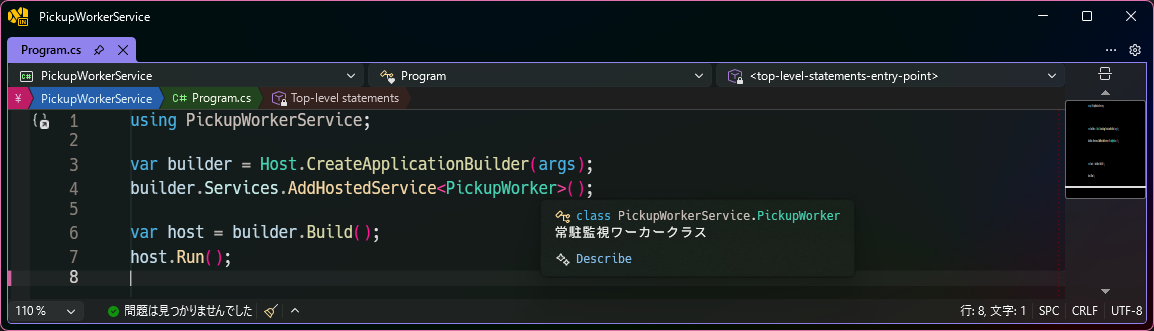
using PickupWorkerService;

var builder = Host.CreateApplicationBuilder(args);
builder.Services.AddHostedService<PickupWorker>();

var host = builder.Build();
host.Run();
¶ PickupWorker.cs
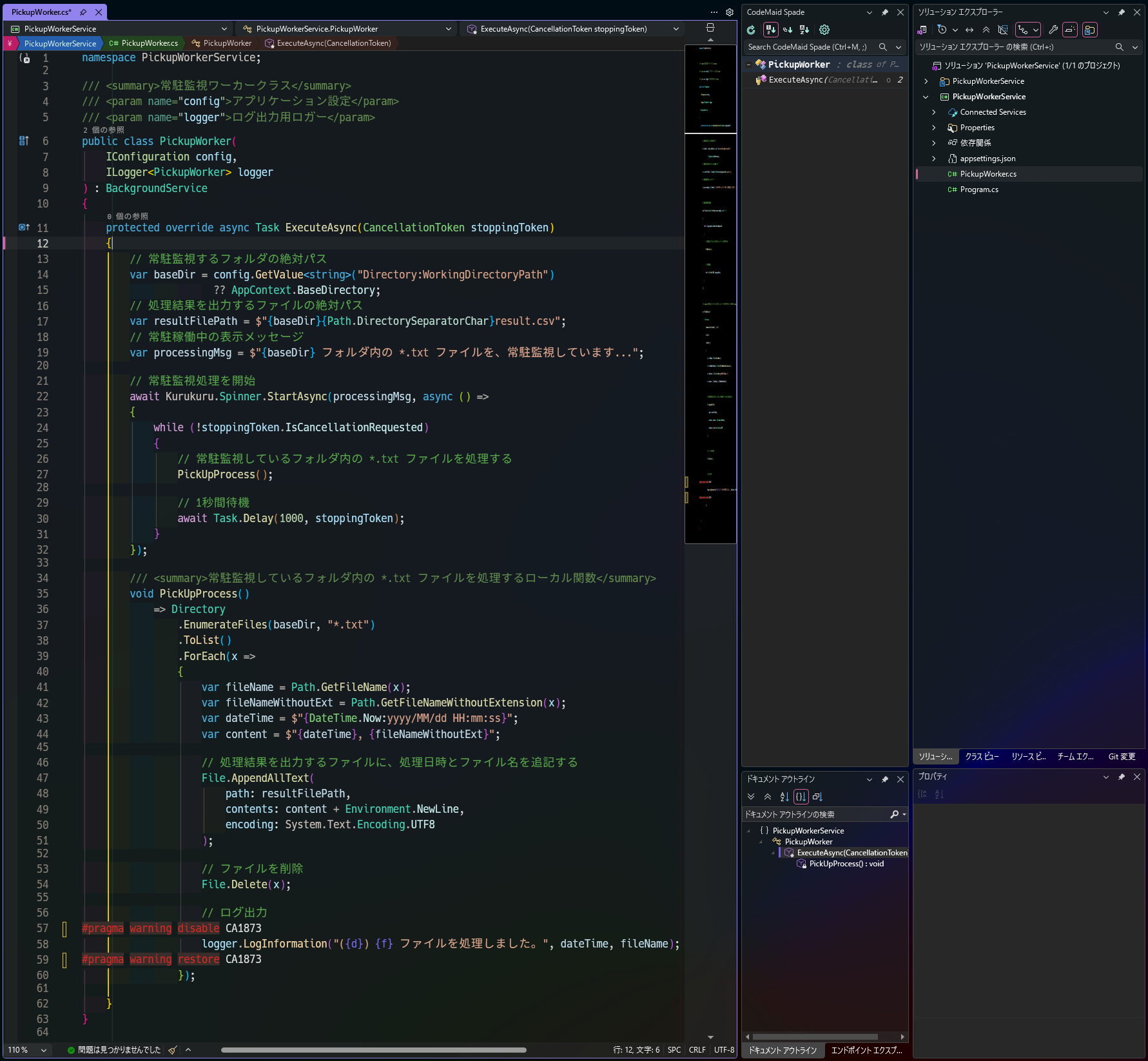
namespace PickupWorkerService;

/// <summary>常駐監視ワーカークラス</summary>
/// <param name="config">アプリケーション設定</param>
/// <param name="logger">ログ出力用ロガー</param>
public class PickupWorker(
    IConfiguration config,
    ILogger<PickupWorker> logger
) : BackgroundService
{
    protected override async Task ExecuteAsync(CancellationToken stoppingToken)
    {
        // 常駐監視するフォルダの絶対パス
        var baseDir = config.GetValue<string>("Directory:WorkingDirectoryPath")
                      ?? AppContext.BaseDirectory;
        // 処理結果を出力するファイルの絶対パス
        var resultFilePath = $"{baseDir}{Path.DirectorySeparatorChar}result.csv";
        // 常駐稼働中の表示メッセージ
        var processingMsg = $"{baseDir} フォルダ内の *.txt ファイルを、常駐監視しています...";

        // 常駐監視処理を開始
        await Kurukuru.Spinner.StartAsync(processingMsg, async () =>
        {
            while (!stoppingToken.IsCancellationRequested)
            {
                // 常駐監視しているフォルダ内の *.txt ファイルを処理する
                PickUpProcess();

                // 1秒間待機
                await Task.Delay(1000, stoppingToken);
            }
        });

        /// <summary>常駐監視しているフォルダ内の *.txt ファイルを処理するローカル関数</summary>
        void PickUpProcess()
            => Directory
                .EnumerateFiles(baseDir, "*.txt")
                .ToList()
                .ForEach(x =>
                {
                    var fileName = Path.GetFileName(x);
                    var fileNameWithoutExt = Path.GetFileNameWithoutExtension(x);
                    var dateTime = $"{DateTime.Now:yyyy/MM/dd HH:mm:ss}";
                    var content = $"{dateTime}, {fileNameWithoutExt}";

                    // 処理結果を出力するファイルに、処理日時とファイル名を追記する
                    File.AppendAllText(
                        path: resultFilePath,
                        contents: content + Environment.NewLine,
                        encoding: System.Text.Encoding.UTF8
                    );

                    // ファイルを削除
                    File.Delete(x);

                    // ログ出力
#pragma warning disable CA1873
                    logger.LogInformation("({d}) {f} ファイルを処理しました。", dateTime, fileName);
#pragma warning restore CA1873
                });

    }
}
¶ アプリ設定ファイル (JSON)
¶ appsettings.Development.json
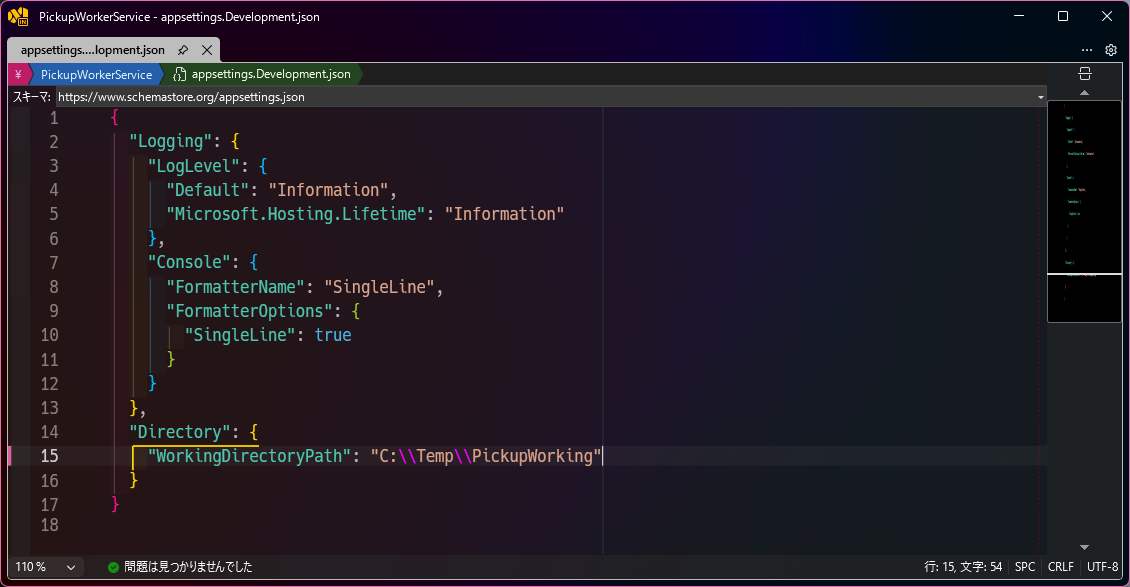
{
  "Logging": {
    "LogLevel": {
      "Default": "Information",
      "Microsoft.Hosting.Lifetime": "Information"
    },
    "Console": {
      "FormatterName": "SingleLine",
      "FormatterOptions": {
        "SingleLine": true
      }
    }
  },
  "Directory": {
    "WorkingDirectoryPath": "C:\\Temp\\PickupWorking"
  }
}
¶ 実行結果
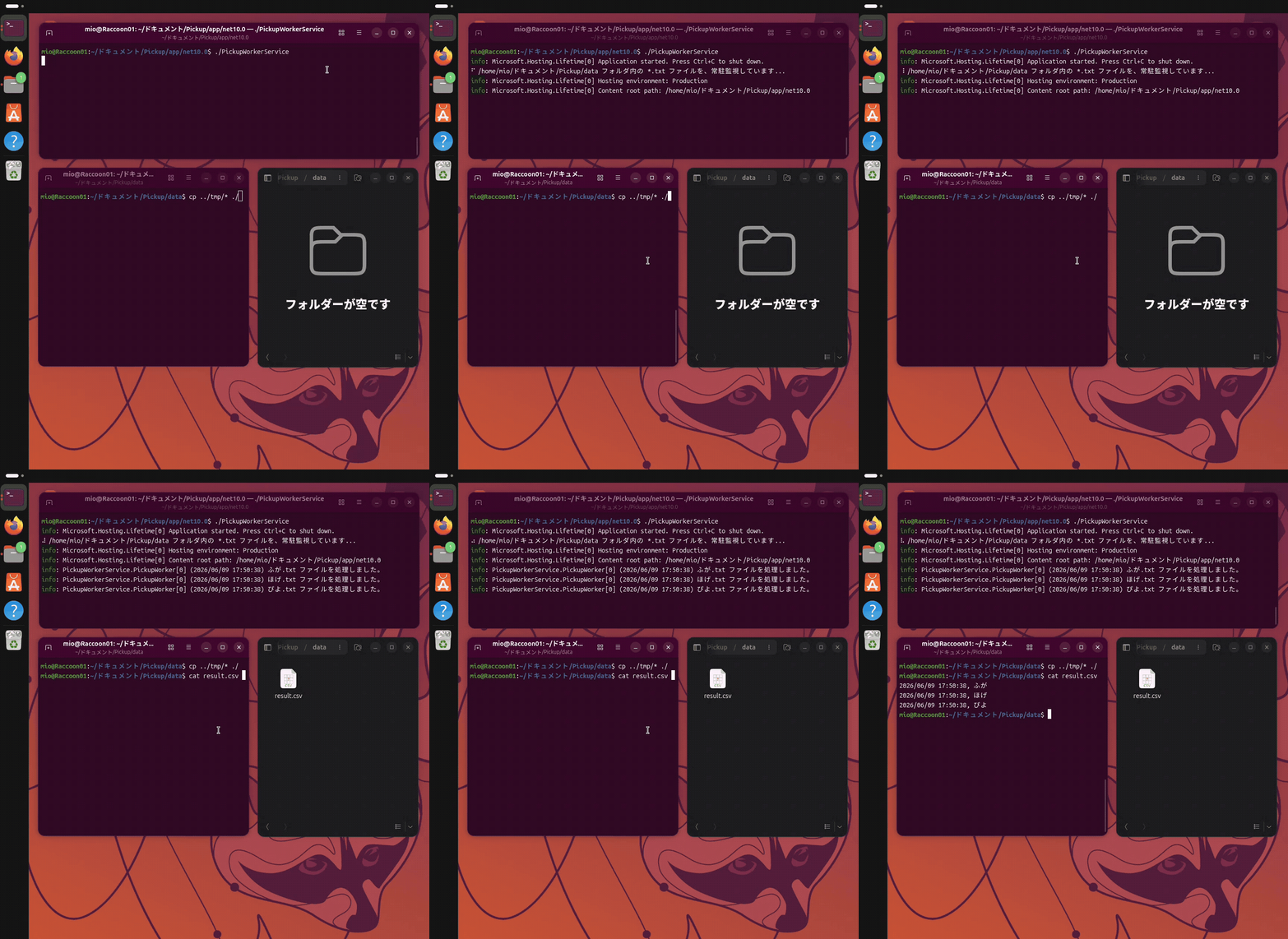
モダンな .NET は Windows だけでなく、macOS でも Linux 環境でも動作します。
実際に Linux (Ubuntu 26.04) 環境で動かしてみた様子が、下のとおりです。
{
  pages {
    search (query: "TechMemo/DotNet/Worker") {
      results {
        id
        path
        title
      }
    }
  }
}